Your ticket is a wallet pass
Men's tickets are digital passes held in Apple Wallet or Google Wallet. Gold ticket holders, and fans who bought through a ballot or the Ticket Exchange, get a membership digital pass. On Android, passes are added through the Arsenal app, and Google Wallet must be version 9 or higher.
Keep it, and let it update
Do not delete the pass: it updates itself in your wallet. On an iPhone, turn on “Automatic Updates” in the pass details. When you buy a seat on the Ticket Exchange, the seller's pass for that game is switched off and yours is switched on, which only works if the pass can update.
At the turnstile
The passes use NFC: at the outer turnstile gate you tap your phone (or your membership card) on the reader, and the inner gate opens on to the lower concourse. If your phone has no NFC, tap “Show Code” for a barcode that refreshes every 20 seconds. Screenshots do not work. Charge your phone fully before you go.
If something goes wrong
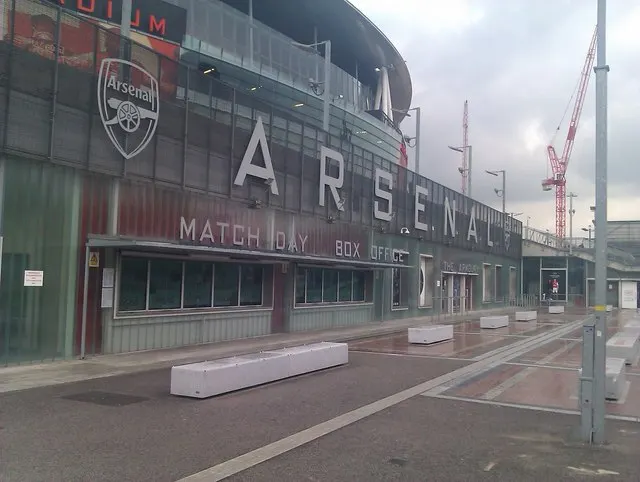
Pass problems are handled at the Digital Ticketing Help Centre at Turnstile A, or at the Matchday Box Office next to the Armoury on Hornsey Road, which opens three hours before kick-off. Ticket collection, for pre-arranged and duplicate tickets only, is on podium level opposite turnstile block S, and you need ID to collect.
Women's games
For Arsenal Women's games at the Emirates, tickets are downloaded from the Ticket Hub in the Arsenal app once the fixture is confirmed.
Away fans
Away tickets can work differently. Crystal Palace's December 2025 cup tickets, for example, were digital passes for Apple or Google Wallet and could not be transferred.
Where sources disagree
Arsenal's digital ticketing overview page could not be loaded for this guide, so everything above comes from the club's help centre, its women's matchday guide and visiting clubs' guides.